
ASHDOWN ADVERTISING
CRM & Automation in Cedar City, Utah
Keep new enquiries moving without relying on memory or scattered notes. We connect your CRM, lead delivery and follow-up around the way your team works. You can see who needs a reply and what should happen next.
CRM & AUTOMATION
A practical part of your marketing system.
A good enquiry can go quiet when nobody owns the next step. A shared inbox alone may not show who called, what was discussed or when to follow up. We help make that work visible and easier to manage.
Your tools should support your team rather than add more chores. We start with the stages you actually use, then connect the details and reminders that help. Simple, clear workflows give people more time for customer conversations.
- Know who owns each customer conversation.
- Spend less time moving the same details.
- See which enquiries need a next step.
SCOPE BUILT AROUND YOUR BUSINESS
What’s included.
Lifecycle and status definitions
See how a customer moves from enquiry to the next decision. We map your current steps and find places where work stalls. The plan follows your sales process, so your team can recognise and use it.
What you get: A clear map of your lead workflow.
Fields, access and ownership
Keep records useful without filling them with clutter. We agree the fields your team needs for service, source and status. Clear field choices help people find the details needed for the next conversation.
What you get: Practical fields and consistent lead records.
Routing and task creation
Put requests in the hands of the right person. We define who owns each new enquiry and how it is assigned. A backup route helps your team spot requests that need attention when normal delivery fails.
What you get: Lead routing with clear team ownership.
Consent-aware follow-up
Make progress easy to see at a glance. We set up stages that reflect real actions, such as contacted or quote sent. Your team can see where a customer stands without reading every past message.
What you get: A pipeline based on how you sell.
Exit and manual-stop rules
Help your team remember the next useful action. We plan reminders and approved follow-up steps around your customer journey. Messages use suitable channels and clear timing, with room for a person to step in.
What you get: Helpful reminders and agreed follow-up rules.
Duplicate and failure handling
Reduce the need to copy details between tools. We review supported connections and map how information should move. Test records check the fields and destination, so your team understands what the connection does.
What you get: Tested connections between the tools you use.
Pipeline and exception reporting
Make the system easier to run after launch. We explain the workflow, ownership and checks your team needs. You can see what to watch and how to spot a request that has stopped moving.
What you get: A clear handover and practical team guidance.
EXPLORE THE SERVICE
See your pipeline and follow-up in motion.
A shared view of every next step.
See how enquiries move through a simple sales pipeline.
01New
02Contacted
03Quote sent
04Won
Move enquiries through the stages to see each handoff.
Follow-up that has a clear trigger.
- When a form is submitted
- Text + email to you
- Reminder after 24h
- Follow-up email
Triggers, timing and messages are agreed around your team and customer permissions.
WHO IT’S FOR
When this work is a useful fit.
CRM and automation work helps when enquiries arrive but follow-up feels scattered. You might be using spreadsheets, inboxes or a CRM that no longer fits. It is useful when your team wants a shared view of customers and fewer repeated tasks.
Is this right for you?
- You lose track of who replied last.
- Lead details are copied between different tools.
- Your staff need clearer follow-up reminders.
- You want to see stalled conversations sooner.
HOW IT WORKS
A clear path from review to next step.
- 01
Model the real process
We ask your team to walk through a real enquiry journey. That reveals the notes, tools and decisions involved. You receive a clear picture of where ownership or repeated work slows the response.
- 02
Design the workflow
We design a simple workflow with stages, fields and responsibilities. Together, we choose which tasks need a person and which can run automatically. You can review the flow before it becomes part of daily work.
- 03
Test the unusual paths
We build the agreed setup and send test records through it. We check assignment, field details and reminders. Your team sees what happens during normal use and how to spot a delivery problem.
- 04
Launch and observe
We explain the setup and review how your team uses it. If a stage causes confusion or a reminder arrives too late, we adjust it. The aim is a workflow people can keep using.
HOW THE WORK CONNECTS
Make the next handoff useful.
Your customers experience one journey. The marketing should reflect it.
Lead Generation ↗
Give suitable enquiries a clear route into your sales process. Lead generation defines the information you need first. Your CRM then keeps that context available as the conversation moves forward.
Web Design ↗
Send page enquiries into the right workflow. A connected landing page can collect useful details and confirm the next step. The CRM helps your team pick up where the customer left off.
Conversion Optimization ↗
Share useful sales feedback with your advertising plan. When lead stages stay current, you can discuss which campaigns bring suitable requests. That adds context beyond clicks and forms reported by an ad platform.
REAL WORK. OPEN TO INSPECTION.
Recent work and results
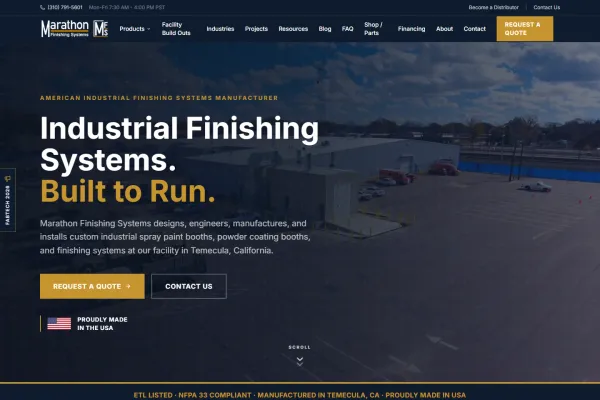
Marathon Finishing Systems
Technical product information plus a separately built sales-management workflow.
View project ↗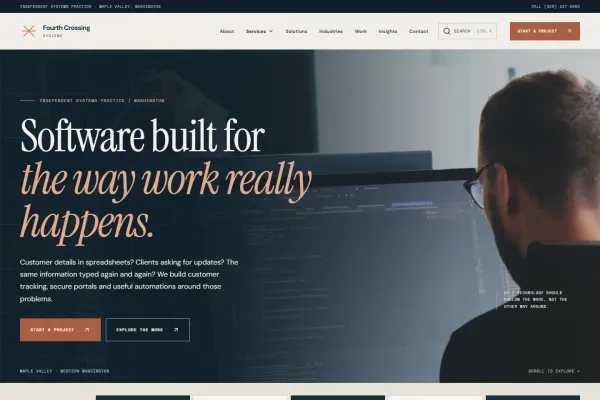
Fourth Crossing Systems
A software practice explained through connected records, handoffs and exceptions.
View project ↗Website projects by our founders' team at Leads To Sales.
Can we keep our current CRM?
You may not need to replace your current CRM. We review what it supports and where the process breaks down. Better stages, fields or connections can sometimes solve the problem within the tools you already use.
What should we automate first?
Good starting points include lead assignment, follow-up reminders and moving details between supported tools. We choose tasks that save effort without confusing customers. Personal conversations and unusual requests still need your team's judgement.
What happens if an integration fails?
We map the fields, try test records and check what happens when delivery fails. Your team reviews the workflow before launch. Clear ownership and simple checks help you notice problems during everyday use.
Will follow-up stop when someone replies?
We can plan email or text follow-up where your tools support it. The channel, message and timing are agreed with you. We also review customer permissions and give your team a clear way to handle replies.
Can automation replace our sales response?
Your team receives guidance on the stages, fields and actions they need. We keep the workflow tied to familiar sales steps. The goal is a system people understand, rather than a long list of features nobody uses.
START WITH YOUR CURRENT SITUATION
Talk through the next useful step.
Show us how a new enquiry reaches your team today. We can help you find the missing handoffs and repeated tasks. Start with a free marketing plan for clearer follow-up and a more useful CRM.
Not sure where to start? Take the marketing check ↗